PS5 Emulator Progress in 2026: How to Read Claims Without Overstating a Demo
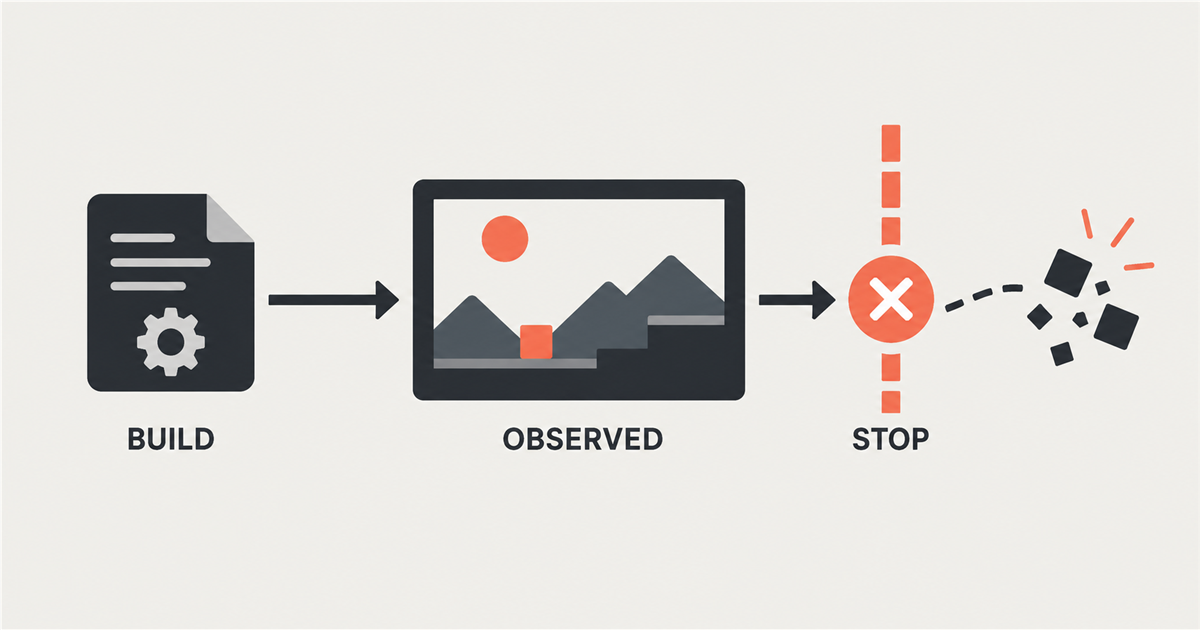
When a report says a PS5 emulator boots a game, the useful question is: what happened after the executable started? A splash screen, a menu, responsive controls, a short gameplay scene, and a completed game are different observations. A headline may compress them into one word, but the evidence should not.
Read each progress claim as a small test report. Identify the project and exact build, the game and version, what appeared to work, how long the test ran, and where it stopped. That gives you something more useful than a broad compatibility label: a result another person can try to understand or reproduce.
Separate project activity from game results
A release tag or code change proves that a project published an artifact. It does not, by itself, show that a particular game works on that build. For example, GitHub records an automated SharpEmu release named v0.0.5-nexus-release.2 on October 8, 2026, with listed code changes. Its release notes do not report an independently measured result for a named game. The release page
The SharpEmu repository describes the project as experimental and early stage, and says its focus is accuracy and infrastructure rather than game-specific compatibility. It also describes loading a game's executable, running native CPU instructions, and partially handling GPU functionality. Those are useful details about the project's stated implementation work. They do not turn its game list into independent test results. The project README
KytyPS5 makes its own project statements too. Its repository describes a C++ translation layer based on a heavily modified Kyty, says it can boot 2D and 3D games, and warns that behavior can change significantly between builds. The project asks issue reporters to include complete logs. Attribute those claims to the repository, then look for a title-specific report before drawing a conclusion about one game. The KytyPS5 repository
Name the milestone, not just the verb
Words such as "boots," "runs," and "works" hide the stopping point. Describe the visible step instead. A practical set of observations might include:
- The executable was loaded, or the process started.
- A splash screen or other image appeared.
- A menu rendered.
- Input changed something on screen.
- Gameplay continued for a stated length of time.
- The test reached a named ending or completion point.
These are plain-language reporting levels, not an established PS5 compatibility standard. Do not quietly promote one step into the next. A rendered image at one moment does not show that controls respond or that the same build continues into gameplay. If the source stops at a menu, report a menu. If the next transition was never tested, say so.
The failure boundary belongs beside the milestone. "Reached the splash screen, then crashed about half a minute later" tells a reader more than "runs Astro Bot." Include a failure even when the milestone looks impressive. If a report has no failure because the test ended early, name the last observed state and the untested transition.
What a PS5 emulator report should record
For a useful record, capture these details from the source. Write not disclosed when it does not provide a field; do not fill gaps with guesses.
- Project and artifact: repository, release tag or commit, and whether the build is an official release, a fork, or locally patched code.
- Game copy: title, title ID if given, edition, and game version.
- Test conditions: operating system and relevant software setup as reported. Keep the wording close to the source.
- Observed milestone: the last state actually shown or described, plus the input or action that got there when known.
- Test boundary: duration, first failure, and any step that was not tried.
- Evidence: issue text, logs, screenshots, or a recording. Note who supplied it.
- Replication: whether another tester repeated the same result on the same identified build and game version.
Keep each observation attached to its artifact. A result from a fork does not automatically belong to the upstream release. Results for two title IDs or game versions are not a controlled comparison just because the games share a name.
What the issue reports actually say
The distinction matters in real reports. A KytyPS5 issue about Astro Bot identifies title ID PPSA21564. Its submitter says three named official builds crashed at startup, then separately describes an unofficial fork at commit a9e1ae5 reaching a state with missing character rendering. That is a report about those build contexts. It does not certify the fork result, and it cannot be credited to an official release. The submitted KytyPS5 issue
A separate KytyPS5 issue names Dead Cells title ID PPSA15552, two game versions, a locally patched build, and Linux with RADV. The submitter reports a hang during gameplay and says the same code runs on Windows. Because the build is locally patched and the outcome is a submitted report, keep both facts visible. Do not turn it into a result for every KytyPS5 build or every version of the game. The Dead Cells issue
SharpEmu has another Astro Bot report, but it is not the same test. The issue identifies title ID PPSA21567 and version 01.018.000; the submitter reports a rendered splash followed by a crash after roughly 20 to 30 seconds. The report describes Windows and Arch Linux observations but does not identify a commit hash for the local build. Those missing build details limit what a reader can compare. The SharpEmu issue
Project names need the same care. The original InoriRus/Kyty repository and KytyPS5 are separate project records. KytyPS5 says it is based on a heavily modified Kyty, but that does not establish a complete maintainer history or make an observation from one repository evidence for the other.
Even one issue page can contain more than one milestone. In the SharpEmu Demon’s Souls issue, comments record an initial boot crash, a later reported splash image, and other reports of missing graphics or boot failures. The versions and test conditions vary. Read those as separate dated observations, not one stable status for the game. The Demon’s Souls issue
The verification for this article fetched these pages; it did not run either emulator or reproduce the issue outcomes. That is why the wording stays with “the submitter reports” instead of presenting the observations as independent tests.
A better way to read the next headline
When you see a new PS5 emulator claim, save the repository link and artifact identity first. Then write down the exact game identifier and version, the last observed milestone, the test duration, and the first failure or untested step. Add whether the evidence is a project statement, a user report, a demonstration, or an independent replication.
If a field is missing, mark it not disclosed. That small habit keeps a visible demo from turning into a promise the evidence never made, and it gives the next tester a concrete result to check.
No comments yet